
Dypora

Play Xiangqi Online

Instant access, no install – fight AI and analyze your games

Play Now – No Install Needed

Play Xiangqi online: click and play, every game has rhythm

A great chess site is one that makes you want to keep going: quick entry, smooth moves, and a way to understand why you win or lose.
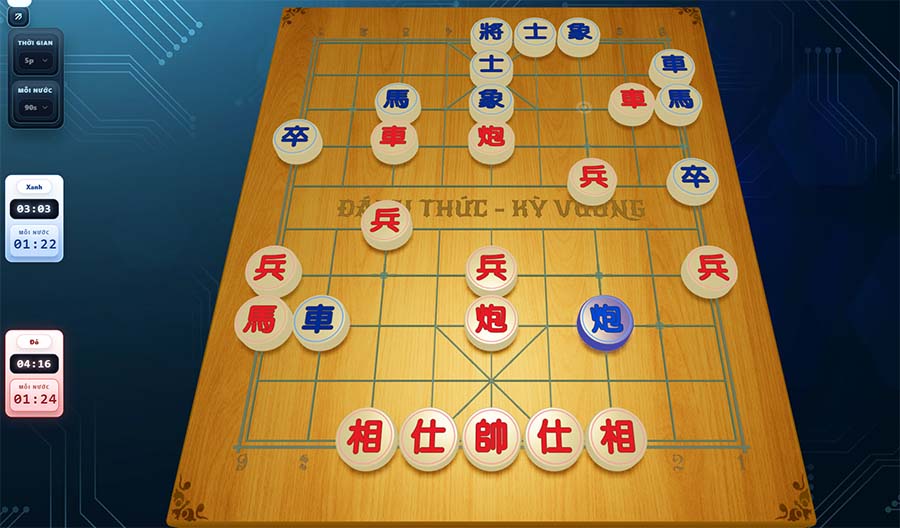
Instant Access No Install Game Analysis
Today's goal: play 1 game (5–10 min) → review 2 turning points → fix 1 repeated mistake.
Xiangqi game analysis

Get Started in 10 Seconds

No theory needed upfront. Just jump in, play a short game, then review where you lost momentum. That's the fastest way to improve without feeling overwhelmed.

  1. Go to Setup AI to start a game.
  2. Play your first 6–10 moves carefully (don't give away pieces for free).
  3. After the game, open Game Analysis to pinpoint your 1–2 biggest mistakes.
Pro tip: before each move, imagine your opponent's best response. This habit prevents most unnecessary piece losses.

Why is it easier to improve here?

The best experience is: click to play immediately, games have rhythm, and after each game you understand why you won or lost.

Instant Start
Minimal friction. The goal is "click and play".
AI with Personality
Choose opponents by style for a more authentic challenge.
Review to Improve
Mark turning points: piece losses, missed tactics, exposed general.

Want to "play for fun" → jump in. Want to "truly improve" → visit Xiangqi Analysis after each game.

15-Minute Daily Routine (enough to see real improvement)

  • 5 min: play a quick game against AI.
  • 5 min: review the 2 most important turning points.
  • 5 min: play another game, actively avoiding the mistake you just identified.

Do this consistently for 7 days and you'll drop fewer pieces and start creating planned attacks.

Start Playing Now – Try One Game

Just one game. Then come back to analyze 2 key moments. That's the most effective way to improve.

You might also like…

One more cycle of "practice – analyze – play again" and your level will visibly rise. Pick a page below to continue.

Frequently Asked Questions

Do I need to install anything to play Xiangqi here?
No. You play directly in your browser. PC gives the best experience with a large screen and fast controls.
Do I need to create an account?
You can start playing immediately. An account is helpful if you want to save game history or access advanced features.
Can I play on mobile?
Yes. However, PC is recommended for a clearer view of the board and the analysis/character panels.
Where do I go to fight AI?
Click "Start Playing" to go to Setup, or visit "Characters" to choose an AI opponent by style.
Is there game analysis that shows my mistakes?
Yes. Open the Xiangqi Analysis page to get suggestions and identify the key mistakes in your game.
I'm a beginner — where should I start?
Play short games of 10–15 minutes, focus on not hanging pieces and keeping your General safe. Then review 1–2 moments where you lost momentum to fix your repeated mistakes.